Decide deliberately
Score the opportunity, resolve mandatory eligibility gates and stop a high weighted score from hiding a failed requirement.
Excel tender response workbook
Should we bid? What must we supply? Who owns each part? Are our proof and price ready? What still blocks submission?
A$39 once · Reuse across one purchasing business's bids · No macros · Microsoft Excel .xlsx
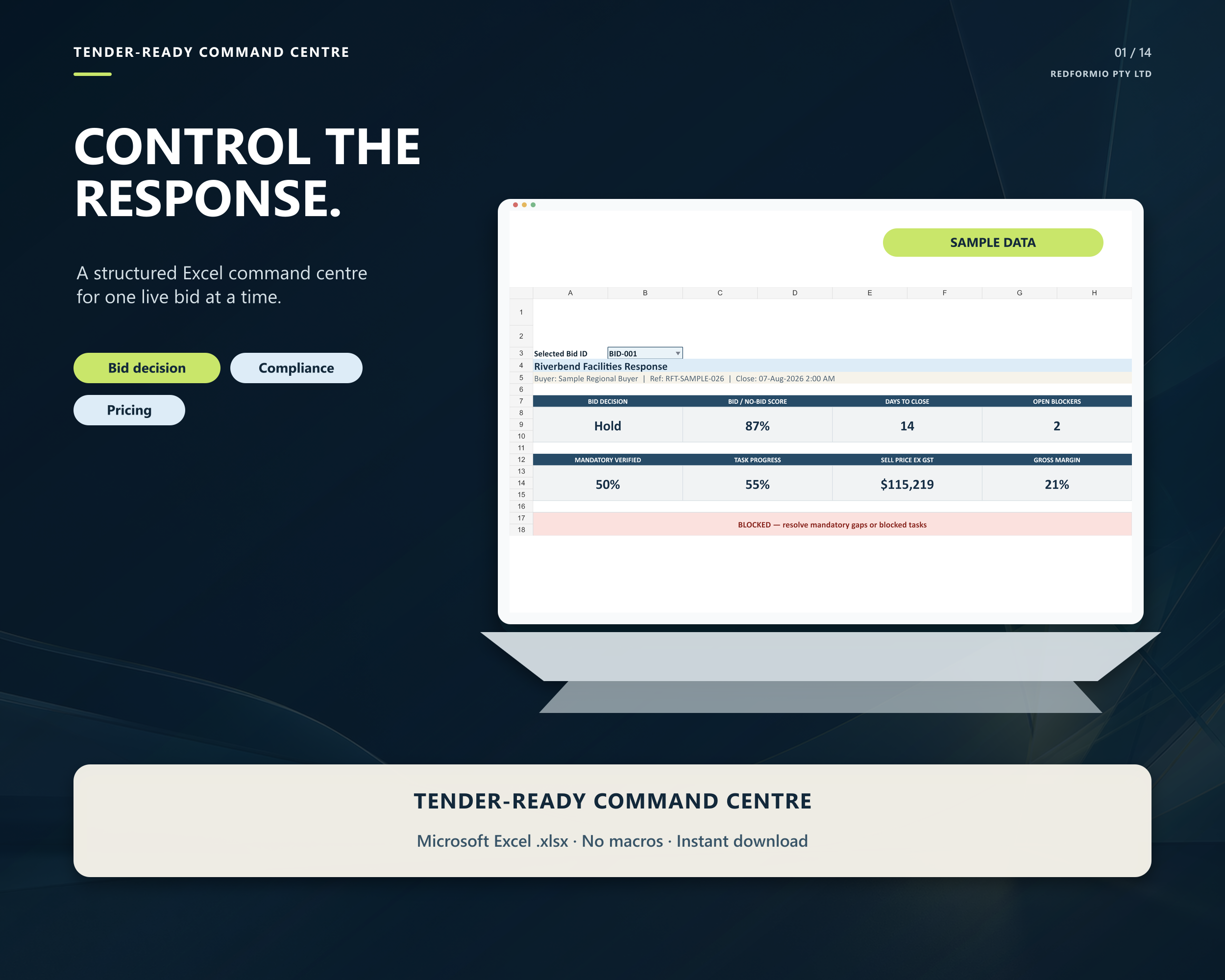
Workbook preview
These screens use an entirely fictional tender scenario to demonstrate the released workbook. You supply and verify your own information; the official tender documents and buyer instructions always control.
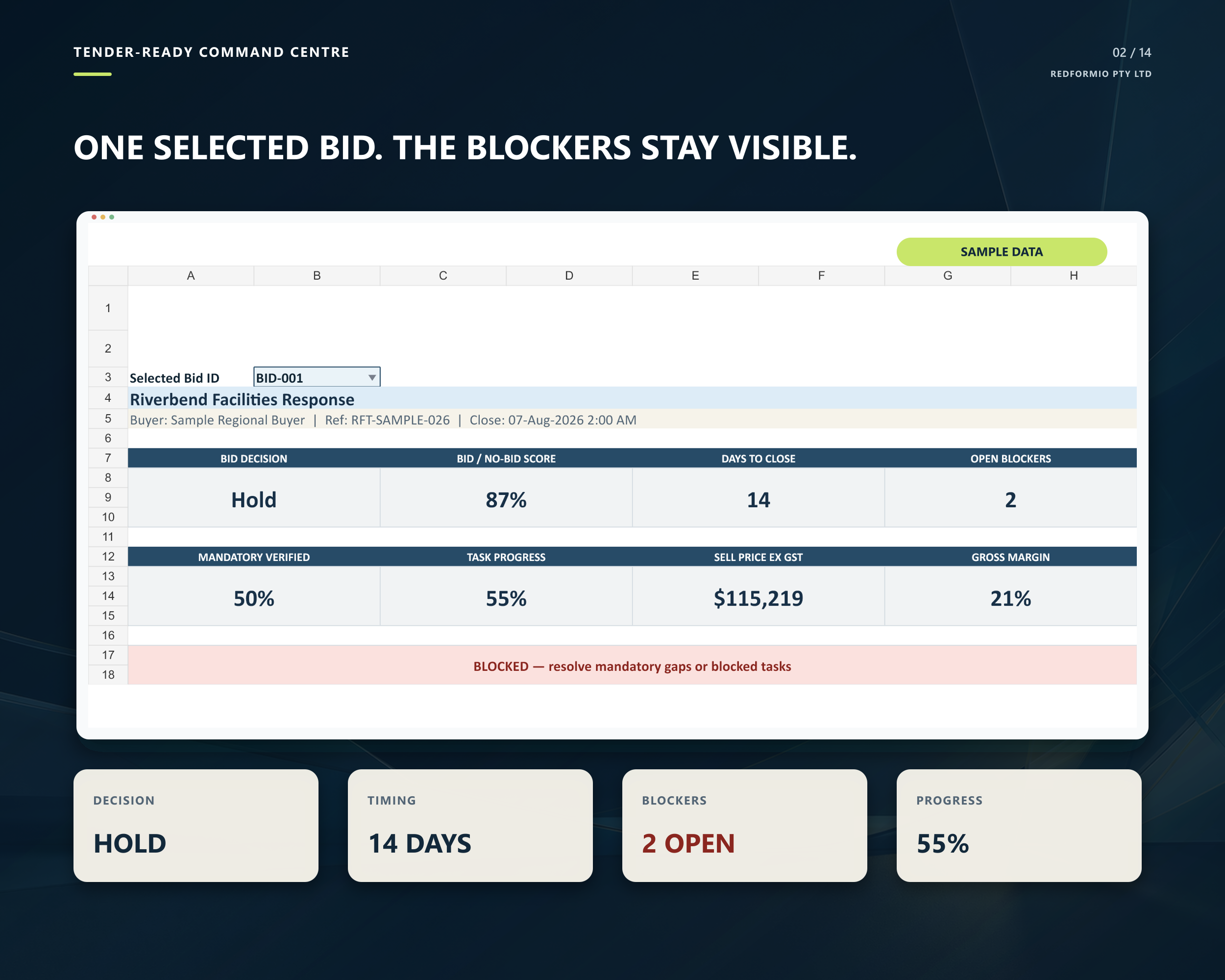
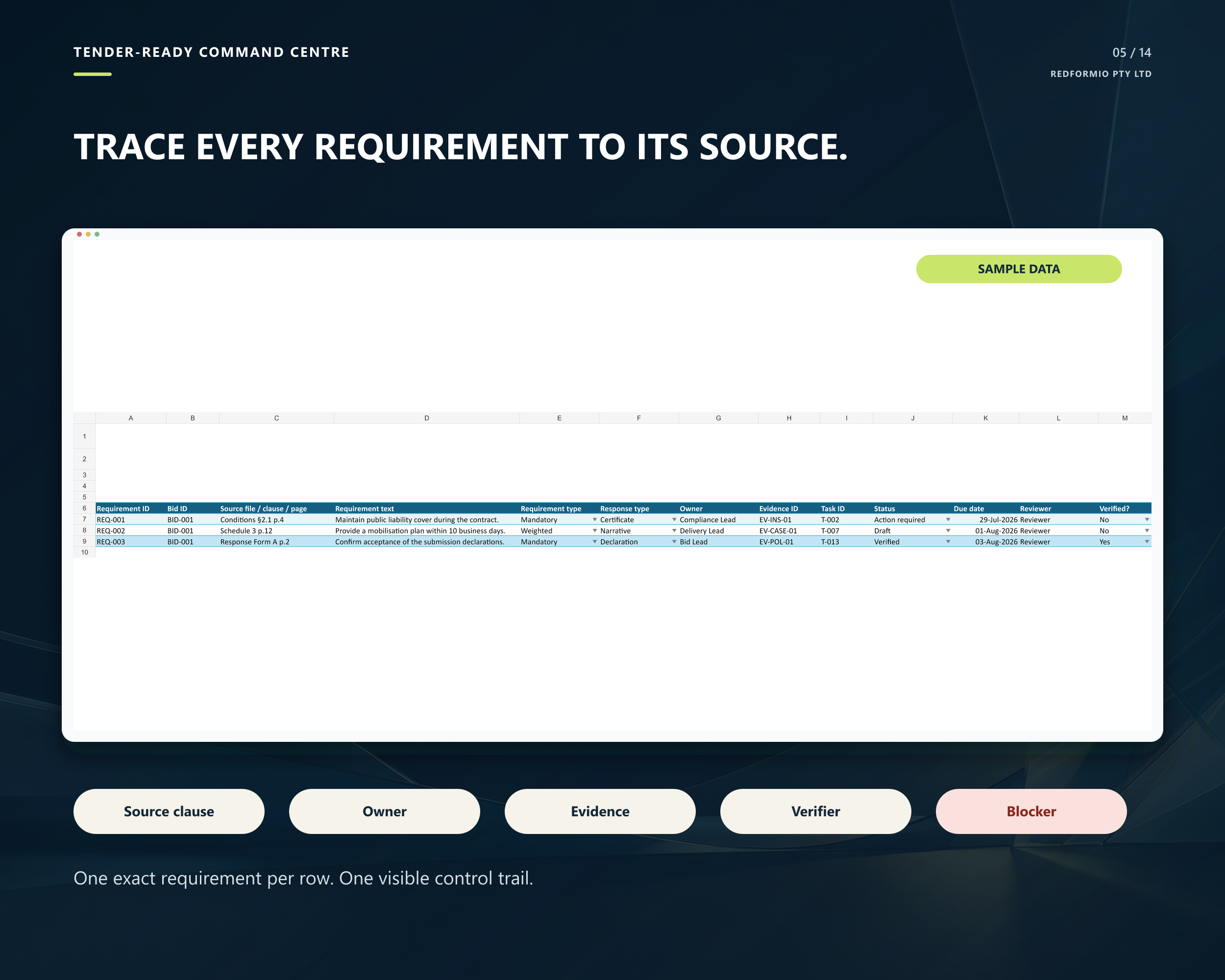
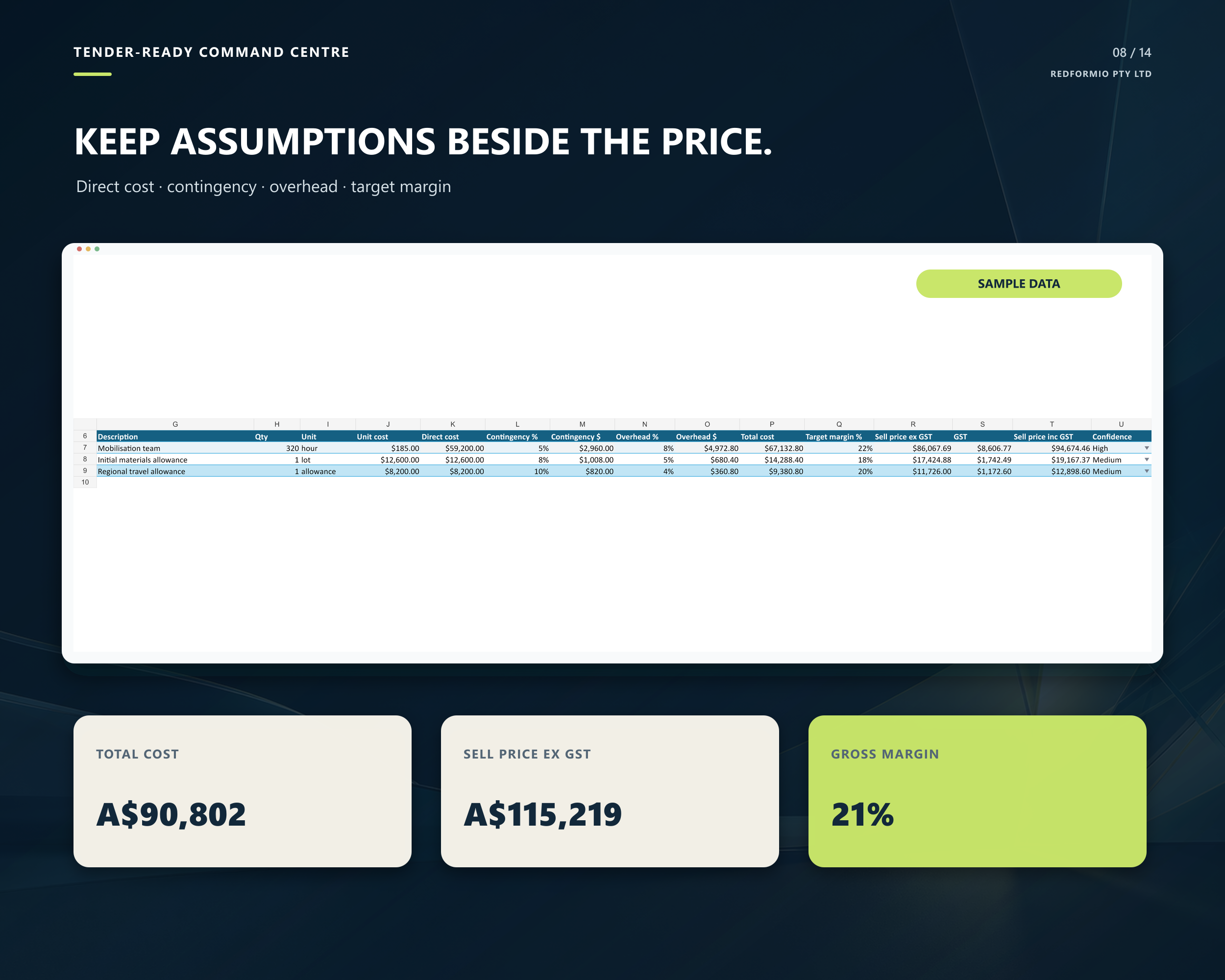
Fictional sample data shown. The workbook organises an opportunity you have already found. It does not find, write, certify or submit tenders, and it cannot guarantee an outcome.
Why use it
Tender work often spreads across emails, notes, folders and disconnected spreadsheets. This ready-built workbook brings the decision, requirements, response tasks, evidence, pricing, assumptions and risks into one working file.
Score the opportunity, resolve mandatory eligibility gates and stop a high weighted score from hiding a failed requirement.
Put one requirement per row with its source, owner, evidence, reviewer and due date, so important work is not left in an inbox.
Review blockers, overdue work, expiring evidence, pricing, assumptions and risks from one focused Dashboard.
How it works
You enter the facts and make the decisions. The workbook gives that work a consistent structure and surfaces incomplete, overdue or blocked items for review.
Add the opportunity, official source, buyer, dates, bid lead and an internal submission target.
Assess weighted fit and resolve each mandatory eligibility gate before committing the team.
Assign every requirement and response task to an owner, reviewer and due date.
Index the supporting evidence, build up costs and record commercial assumptions and risks.
Use the Dashboard to review decision gates, progress, blockers, price and margin before submission.
The operating system inside
Blue cells are inputs. Grey cells calculate. Green means evidenced or complete; amber means check; red is reserved for genuine blockers and overdue work.
One selected bid, with decision, days, blockers, compliance, task progress, price and margin.
A complete pursuit pipeline with deadline health, weighted value and current readiness.
Weighted criteria and explicit eligibility gates. The recommendation never overrides your decision.
One exact requirement per row, with source clause, owner, evidence, verifier and blocker status.
Workstreams, tasks, dependencies, owners, reviewers, hours, deadlines and QA status.
Reusable case studies, CVs, licences, policies and certificates with expiry warnings.
Direct cost, contingency, overhead, target margin, GST and assumptions by scenario.
Commercial and delivery assumptions with likelihood, impact and mitigation.
Why buy it
Ready to use
Purchase securely through Payhip and receive the macro-free Excel workbook, quick-start guidance and a single-business internal-use licence. It does not find, write or submit tenders for you; it gives you the control system for coordinating the response.
Macro-free Excel .xlsx · Instant digital download · Single-business internal-use licence
Etsy displays its own buyer-facing total and any applicable tax at checkout; it may differ from the A$39 Payhip offer.
Offer questions: support@redformio.com.au